> ## Documentation Index
> Fetch the complete documentation index at: https://docs.gofast.live/llms.txt
> Use this file to discover all available pages before exploring further.
# Quickstart
> Start building awesome aplications in under 5 minutes
## Install GoFast CLI
Check out the repo for more insights:
[https://github.com/gofast-live/gofast-cli](https://github.com/gofast-live/gofast-cli)
### Using Go
Make sure you have the Go installed:
[https://go.dev/doc/install](https://go.dev/doc/install)
Check if your `PATH` includes the Go bin directory. You can add it to your `~/.bashrc` or `~/.zshrci` file:
```bash theme={null}
export PATH=$PATH:$(go env GOPATH)/bin
```
Get the latest version of GoFast CLI:
```bash theme={null}
go install github.com/gofast-live/gofast-cli/v2/cmd/gofast@v2.2.0
```
### Downloading the binary
#### Linux
```bash theme={null}
wget https://github.com/gofast-live/gofast-cli/releases/download/v2.2.0/gofast-linux-amd64 -O /usr/local/bin/gofast
chmod +x /usr/local/bin/gofast
```
#### macOS
```bash theme={null}
wget https://github.com/gofast-live/gofast-cli/releases/download/v2.2.0/gofast-darwin-amd64 -O /usr/local/bin/gofast
chmod +x /usr/local/bin/gofast
```
#### Windows
```bash theme={null}
curl -L -o gofast.exe https://github.com/gofast-live/gofast-cli/releases/download/v2.2.0/gofast-windows-amd64.exe
move gofast.exe C:\Windows\System32
```
## Retrieve the api key
Log in to the admin panel and retrieve your special key:
[https://admin.gofast.live](https://admin.gofast.live)
## Run the GoFast CLI
```bash theme={null}
gofast
```
You will be prompted to insert your email and the API key you retrieved in **step 1**:
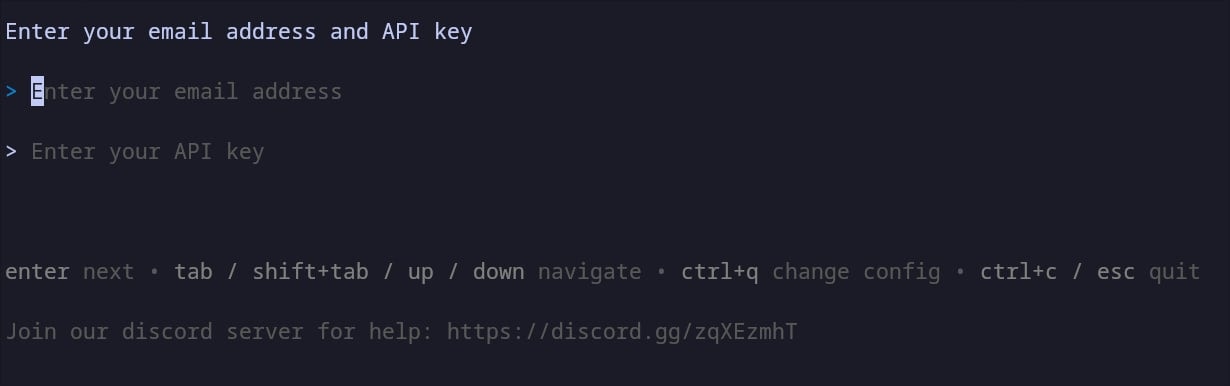 Log in and let it guide you through! Have fun :)
## Download the GoFast Repository
In case you have problems with the CLI, you can always download the repository. But please remember, the CLI is still the recommended way since it cleans and sets up the project for you:
```bash theme={null}
curl -GLf \
-H "Authorization: Bearer " \
https://admin.gofast.live/download \
-d "email=" \
--output gofast.zip
```
Log in and let it guide you through! Have fun :)
## Download the GoFast Repository
In case you have problems with the CLI, you can always download the repository. But please remember, the CLI is still the recommended way since it cleans and sets up the project for you:
```bash theme={null}
curl -GLf \
-H "Authorization: Bearer " \
https://admin.gofast.live/download \
-d "email=" \
--output gofast.zip
```